
Table of Contents
- Why Cut the Cord? The Real Cost of Cable in 2025
- Audit Your Viewing Habits First
- Streaming Services Compared - What You Actually Need
- Live TV Alternatives for Sports and News
- The OTA Antenna - Free Local Channels Forever
- Hardware You Need - Streaming Devices Compared
- Internet Requirements and Avoiding Data Caps
- Step-by-Step Guide to Cutting the Cord
- How Much Will You Actually Save?
- Key Takeaways
- Frequently Asked Questions
Why Cut the Cord? The Real Cost of Cable in 2025
The average American cable TV bill hit $122 per month in 2024, according to Leichtman Research Group. That is $1,464 per year for a service that most people use to watch a handful of channels while ignoring the other 200+. Meanwhile, streaming services offer more content, on-demand viewing, no contracts, and dramatically lower costs. Learning how to cut the cord on cable is not about sacrificing entertainment - it is about getting better entertainment for less money.
The cable television industry lost 6.2 million subscribers in 2024 alone, bringing the total U.S. cable subscriber count below 60 million for the first time since the 1990s. The trend is clear: cable TV as we knew it is being replaced by a more flexible, affordable, and user-friendly streaming ecosystem. The question is no longer whether to cut the cord but how to do it smartly.
That said, cord-cutting is not automatic savings. If you subscribe to every available streaming service, you can easily spend $100+ per month - approaching cable costs. The key is strategic selection: identifying which services provide the content you actually watch and skipping everything else. This guide will help you build a personalized cord-cutting plan that delivers everything you want for a fraction of what cable costs.
Some people hesitate because of specific cable-only content - live sports, local news, or channels that are not available on major streaming platforms. We will address every one of these concerns with practical alternatives that work.

Audit Your Viewing Habits First
Before canceling anything, spend one week documenting exactly what you watch. Write down every show, sporting event, and news broadcast you actually tune into. Be honest - not what you could watch, but what you do watch. Most people discover they regularly watch content from only 5-10 sources despite paying for 200+ channels.
Organize your viewing into categories:
Must-haves: Content you watch weekly and would genuinely miss. This might include specific shows (Yellowstone, The Bear, House of the Dragon), sports leagues (NFL, NBA, Premier League), or daily habits (morning news, late-night shows).
Nice-to-haves: Content you enjoy when it is on but would not seek out specifically. Background TV, channel surfing discoveries, and shows you are casually following.
Never-watch: The hundreds of channels you are paying for but never turn on. This is usually the majority of your cable package.
Your must-have list drives your cord-cutting decisions. If your must-haves are Netflix originals, HBO shows, and NFL football, your plan looks very different from someone whose must-haves are HGTV, Bravo reality shows, and local news. There is no one-size-fits-all cord-cutting plan - the best plan is the one tailored to your specific viewing habits.
Streaming Services Compared - What You Actually Need
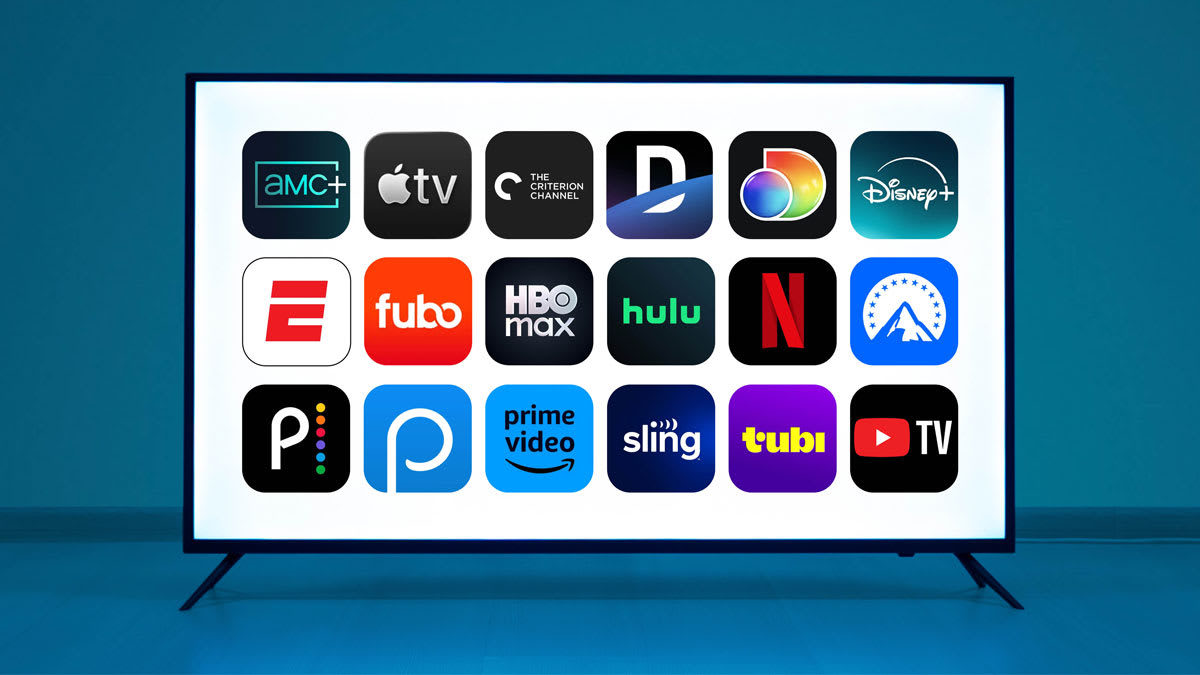
Here is an honest breakdown of every major streaming service and what they offer, so you can decide which ones belong in your cord-cutting plan:
Netflix ($6.99 ad-supported / $15.49 standard / $22.99 premium): The largest library of original content. Strengths include international shows (Squid Game, Dark, Money Heist), documentaries, and a deep movie catalog. Netflix is the one service that virtually every cord-cutter subscribes to because the content volume justifies the price.
Disney+ ($7.99 ad-supported / $13.99 no ads): Home to Disney, Pixar, Marvel, Star Wars, and National Geographic. Essential if you have children. The Disney Bundle ($16.99) adds Hulu and ESPN+ for significant savings versus subscribing separately.
Max (HBO) ($9.99 ad-supported / $16.99 no ads / $20.99 ultimate): HBO’s original series are consistently among the best on television. The Sopranos, Game of Thrones, Succession, The Last of Us, and White Lotus are all here. Also includes Warner Bros. movies, TCM classics, and CNN content. The ad-supported tier is genuinely excellent value.
Hulu ($7.99 ad-supported / $17.99 no ads): The best option for next-day access to network TV shows (ABC, NBC, Fox, FX). If you watch broadcast television shows, Hulu is essentially a cheaper, ad-light replacement for cable’s network channels. Hulu + Live TV ($76.99) adds live channels and is a true cable replacement (covered in the live TV section).
Amazon Prime Video (included with $14.99/month Prime): If you already have Amazon Prime for shipping, the video library is a free bonus. Strengths include The Boys, Reacher, The Lord of the Rings: The Rings of Power, and Thursday Night Football. The movie rental/purchase store is also the best option for new theatrical releases.
Apple TV+ ($9.99/month): Smallest library but highest average quality. Ted Lasso, Severance, The Morning Show, and Killers of the Flower Moon are standouts. Apple often offers free trial periods with hardware purchases.
Peacock ($7.99 with ads / $13.99 no ads): NBC content, Premier League soccer, Sunday Night Football, and a solid catalog including The Office, Parks and Recreation, and Yellowstone. Good value for sports fans and NBC loyalists.
Live TV Alternatives for Sports and News
Live television - specifically sports and news - is the reason most cable holdouts have not yet cut the cord. Here is how to get live TV without cable:
YouTube TV ($72.99/month): The most popular cable replacement. Offers 100+ channels including ESPN, Fox Sports, TNT, NBC Sports, local affiliates, CNN, MSNBC, Fox News, and most cable networks. Unlimited DVR with 9-month storage. Three simultaneous streams. If you want a near-identical cable experience without the cable company, YouTube TV is the best option.
Hulu + Live TV ($76.99/month): Similar channel lineup to YouTube TV, plus full access to Hulu’s on-demand library and Disney+/ESPN+ in the bundle. Slightly more expensive but the added on-demand content is significant value. Unlimited DVR storage.
Sling TV ($40-55/month): The budget live TV option. Sling Orange ($40) includes ESPN and Disney channels. Sling Blue ($40) includes Fox, NBC, and Bravo. Sling Orange + Blue ($55) combines both. Fewer channels than YouTube TV or Hulu Live, but significantly cheaper. Good for people who only need specific channel groups.
For sports specifically: ESPN+ ($10.99/month) covers UFC, MLS, some college sports, and overflow games. Amazon Prime includes Thursday Night Football. Peacock includes Sunday Night Football and Premier League. Apple TV+ has MLS Season Pass and Friday Night Baseball. The NFL, NBA, and MLB all offer their own streaming packages for out-of-market games.
For news: Most major news networks stream free on their apps or websites. CBS News, ABC News Live, and NBC News Now are all free 24/7 streams. CNN and Fox News require a live TV subscription for their full linear channels, but both offer free clips and segments on their apps.
The OTA Antenna - Free Local Channels Forever
One of the best-kept secrets in cord-cutting is the over-the-air (OTA) antenna. For a one-time cost of $20-60, you can receive ABC, CBS, NBC, Fox, PBS, and numerous other local channels in full HD - often in better quality than cable, since cable compresses the signal while OTA broadcasts are uncompressed.
Check your reception first. Visit AntennaWeb.org or the FCC’s DTV Reception Map tool, enter your address, and see which channels are available and how strong the signal is. Most urban and suburban areas can receive 20-50+ free channels. Rural areas may need a larger outdoor antenna.
Indoor antennas like the Mohu Leaf ($30), Antennas Direct ClearStream Flex ($40), and Amazon Basics Flat Antenna ($20) work well within 30-40 miles of broadcast towers. Place the antenna near a window or on an exterior wall for the best reception. Experiment with positioning - moving an antenna even a few feet can dramatically improve signal strength.
Outdoor antennas like the Antennas Direct ClearStream 4MAX ($100) and Channel Master EXTREMEtenna ($80) pull signals from 60+ miles away and are the solution for suburban and rural cord-cutters. Roof or attic mounting provides the best results.
OTA DVR options: Want to record OTA broadcasts for time-shifting? The Amazon Fire TV Recast, Tablo, and HDHomeRun + Plex combination let you record free OTA channels and watch them on any device in your home, on your schedule. Tablo ($100-150 for the device) is the most user-friendly option and offers a traditional DVR experience.
Hardware You Need - Streaming Devices Compared
Unless your TV has a built-in smart platform you are happy with, you will need a streaming device. Here are the best options: